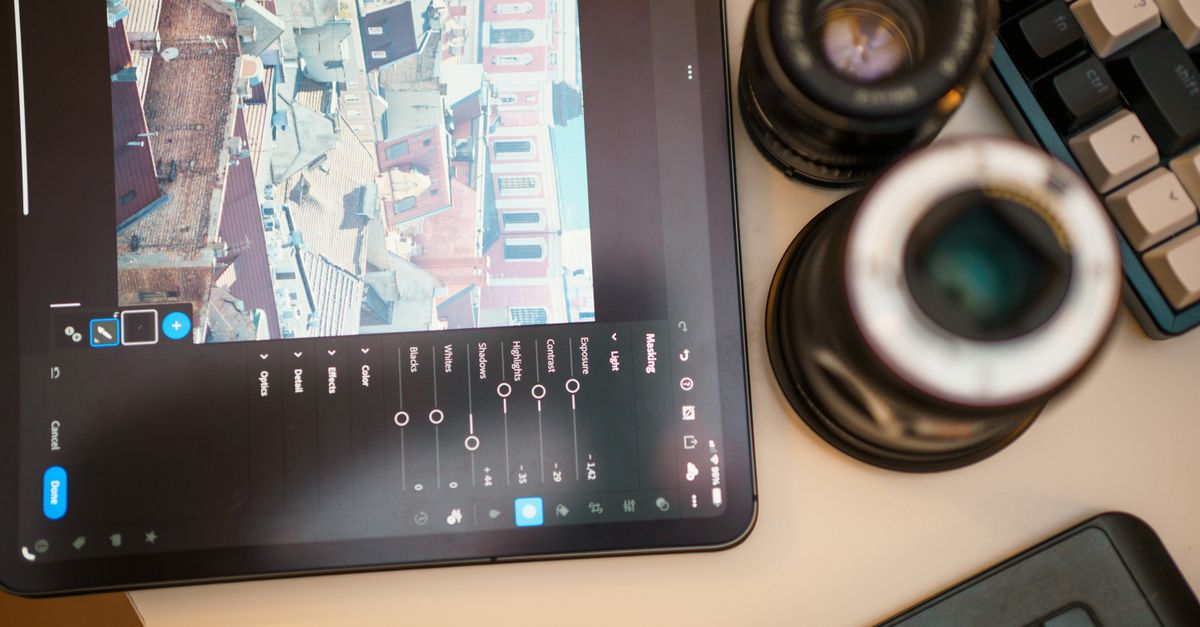
Why Most Travel Photo Editing Fails (And What Actually Works for Stunning Results)
You’ve just returned from an incredible trip, brimming with memories and a camera roll full of potential masterpieces. You sit down, eager to transform those raw captures into the vibrant, evocative images you envisioned. But after an hour of tweaking sliders in Lightroom or VSCO, you’re left feeling… underwhelmed. Your photos look either over-processed, unnatural, or just plain off. They don’t have that professional polish, that subtle magic you see in other travel blogs.
I’ve been there. For years, my travel photos suffered from what I now call the ‘generic filter syndrome’ — applying a preset or adjusting sliders blindly, hoping for a miracle. The result was often a flat, uninspired image that bore little resemblance to the moment I remembered. The mistake I see most often, and one I certainly made, is treating photo editing as a one-size-fits-all solution, rather than a thoughtful enhancement tailored to each unique scene. What changed everything for me was shifting my perspective from ‘fixing’ photos to ‘revealing’ their inherent beauty, understanding that true mastery lies in subtle, intentional adjustments.
Key Takeaways
- Avoid generic presets and develop a custom workflow that enhances, rather than overwhelms, your travel photos.
- Master the exposure triangle and white balance before editing to provide a solid foundation for post-processing.
- Focus on subtle, localized adjustments to draw the viewer’s eye and maintain natural realism.
- Implement a consistent yet adaptable color grading strategy to create a signature look while respecting individual scenes.
The Generic Preset Trap: Why ‘One-Click Wonders’ Fall Flat
The biggest culprit behind underwhelming travel photos, in my experience, is the over-reliance on generic presets. We’ve all been tempted by those ‘Travel Blogger Pack’ or ‘Cinematic Landscape’ presets that promise instant perfection. You click it, and for a split second, it feels like magic. Then you look closer. The sky might be an unnatural shade of blue, skin tones are too orange, and the shadows are crushed, losing all detail. The reason these fail is simple: every photo is unique. Light, time of day, weather, camera settings, and subject matter all vary drastically. A preset designed for a sunny beach shot in Thailand will utterly destroy a moody forest scene in Norway.
What actually works is developing a custom, adaptable workflow. Instead of searching for the ‘perfect’ preset, learn to understand what makes a preset work (or not work). Deconstruct it. Look at which sliders are moved and by how much. Then, start building your own adjustments from scratch, or modify a base preset to fit your individual images. For instance, I have a foundational set of adjustments that addresses common issues like slight underexposure and a touch of vibrancy, but I never apply it without then making specific, targeted tweaks. I often find myself reducing the intensity of the preset to 50% or 70% and then manually adjusting temperature, tint, and individual color channels. The goal isn’t to look like everyone else’s feed; it’s to develop a signature style that still respects the authenticity of the moment. This means spending more time learning the tools rather than just using them.
Overlooking the Foundation: Why In-Camera Skills Matter More Than Software Magic
Many aspiring travel photographers believe that any issue can be fixed in post-production. Too dark? Just boost exposure. Colors look weird? Tweak white balance. While editing software is incredibly powerful, it’s not a magic wand. The most profound mistake I made early on was neglecting my in-camera skills, thinking I could just ‘fix it later.’ The truth is, a poorly captured image offers limited editing potential, regardless of how advanced your software is. You can’t recover detail that was never captured, and you can’t invent light that wasn’t there.
What actually works for stunning results begins before you even open your editing software. Master the exposure triangle (aperture, shutter speed, ISO) and white balance in-camera. Aim to get your exposure as close to perfect as possible, protecting your highlights and shadows. This provides a rich, malleable file to work with. Likewise, setting the correct white balance (or shooting in RAW to adjust it non-destructively) ensures accurate colors from the start. For example, when shooting a sunset, I deliberately underexpose slightly to preserve highlight detail in the brightest parts of the sky, knowing I can lift the shadows in post. When I shoot in a dimly lit market, I prioritize a higher ISO for proper exposure, accepting a bit of grain but ensuring I capture the scene’s dynamic range. This proactive approach significantly reduces the heavy lifting needed in post-processing, allowing for more refined and natural-looking edits.
The Global Adjustment Addiction: Losing Nuance and Realism
It’s tempting to use global adjustments — those sliders that affect the entire image, like ‘contrast,’ ‘saturation,’ or ‘clarity.’ We slide them up or down, seeing a dramatic change, and often overdo it. The result? Harsh contrast, garish colors, or an artificial, overly sharpened look. I used to crank up the clarity on every landscape, thinking it added ‘pop,’ only to realize it introduced halos and made textures look brittle. This global approach often sacrifices subtlety and leads to an amateurish appearance because not all areas of an image require the same treatment.
What actually works is a methodical approach to local adjustments. Think of your image as a canvas where different areas need different touches. Instead of boosting overall saturation, use a brush tool to selectively increase the saturation of a vibrant scarf in a portrait, or the blue of the ocean. Instead of increasing global contrast, create a radial filter to add contrast only to the subject’s face, making them stand out. I rely heavily on masking tools (brushes, radial filters, graduated filters) to apply targeted adjustments. For a portrait, I might soften skin tones with a negative clarity brush, while simultaneously sharpening the eyes. For a landscape, I’ll often apply a graduated filter to darken and add richness to the sky, and then use a separate brush to lighten and bring out details in the foreground foliage. This layered, localized editing process maintains realism and allows for a much more refined final image.
Inconsistent Color Grading: The Disjointed Travel Story
One common pitfall, especially for those trying to develop a cohesive Instagram feed or blog portfolio, is inconsistent color grading. You might edit one photo with a cool, desaturated look, and the next with warm, punchy colors. While variety can be good, a complete lack of consistency can make your travel story feel disjointed and unprofessional. It’s like reading a book where every chapter is written in a different font and tone; it pulls you out of the experience. I struggled for a long time to find ‘my’ color style, leading to a scattered portfolio that didn’t feel like ‘me.’
What actually works is developing a consistent yet adaptable color grading strategy. This doesn’t mean every photo must look identical, but rather that there’s a recognizable underlying aesthetic. Start by identifying a general mood or feeling you want to convey (e.g., warm and inviting, cool and adventurous, vibrant and energetic). Then, focus on a few key color adjustments that support this. For example, I tend to lean towards slightly warmer tones in my highlights and a subtle cool tint in my shadows to add depth. I also often desaturate greens slightly to make my subjects stand out, and boost blues minimally for skies and water. The key is to create a set of adjustments (which can then become a personal preset) that you apply as a starting point. Then, for each individual photo, you make micro-adjustments to honor the unique light and colors of that specific scene. This creates a cohesive body of work that feels intentional and reflects your personal brand, without sacrificing the natural beauty of diverse locations.
Forgetting the Context: The Unrealistic Edit
Finally, a major reason many travel photo edits fall flat is forgetting the original context of the scene. In the pursuit of ‘epic’ or ‘cinematic’ looks, photographers often push colors, contrast, and clarity far beyond what was actually present. A sunset might be turned into a fiery inferno with neon hues, or a gloomy day transformed into a vibrant wonderland. While artistic interpretation is valid, when these edits become disconnected from reality, they can feel jarring and inauthentic. The viewer instinctively knows something is ‘off,’ even if they can’t pinpoint exactly what it is. I’ve been guilty of making skies unbelievably blue or grass impossibly green, only to realize later that I had erased the subtle magic of the original moment.
What actually works is maintaining a mindful connection to the original scene and its mood. Before you start editing, take a moment to recall what that place felt like. Was it bright and airy, or dark and mysterious? Was the light soft and diffused, or harsh and direct? Use your editing to enhance that feeling, not to invent a new one. This often means exercising restraint. Instead of maxing out saturation, aim for a natural vibrancy. Instead of crushing shadows for dramatic effect, gently deepen them to add dimension while preserving detail. I often toggle between the original and edited image, asking myself: “Does this still feel like the place I was in? Does it evoke the emotion I felt?” A truly stunning travel photo isn’t about how much you changed it, but how effectively you revealed its essence, allowing the viewer to connect with the genuine experience.
Frequently Asked Questions
Q: Should I always shoot in RAW for travel photography?
A: Absolutely, whenever possible. RAW files capture far more data than JPEGs, giving you significantly more flexibility to adjust exposure, white balance, and recover details in highlights and shadows during editing without degradation. While they take up more space, the benefits for post-processing are immense.
Q: How can I make my photos ‘pop’ without over-processing them?
A: Focus on subtle, localized contrast and clarity adjustments rather than global sliders. Use tools like the ‘Dehaze’ slider sparingly, or selectively apply small boosts to texture and clarity using local adjustment brushes on specific elements like mountains, eyes, or architectural details. A gentle ‘S-curve’ in the tone curve can also add subtle pop without looking artificial.
Q: What’s the best way to handle skin tones to keep them natural?
A: Correct white balance is paramount. If skin tones still look off, use the HSL (Hue, Saturation, Luminance) panel to target orange and red tones. Adjust the hue slightly to a more natural range, and then fine-tune saturation and luminance to brighten without making them look plastic. Always zoom in to ensure realism.
Q: How do I create a consistent look across different lighting conditions?
A: Develop a base preset or a mental checklist of core adjustments (e.g., specific tone curve, minor color shifts, sharpening) that you apply to all your photos. Then, adapt white balance, exposure, and localized adjustments to each individual image to account for varying light. The goal is a consistent feel, not identical settings.
Q: Is it okay to use editing software on my phone for travel photos?
A: Yes! Modern mobile editing apps like Lightroom Mobile, Snapseed, or VSCO are incredibly powerful and offer many of the same tools as desktop software. The principles of intentional, subtle editing apply equally. It’s more about your approach than the specific tool.
Conclusion
Transforming your travel photos from mere snapshots into compelling visual narratives isn’t about magical presets or complex software; it’s about intentionality, skill, and a deep respect for the moment you captured. By focusing on strong in-camera foundations, embracing subtle local adjustments, developing a consistent yet adaptable style, and never losing sight of the original context, you’ll elevate your travel photography to new heights. So, next time you sit down to edit, remember: you’re not just ‘fixing’ a picture; you’re carefully crafting a story that truly reflects the wonder of your journey. Take your time, be deliberate, and let the authentic beauty of your adventures shine through.
Written by Elias Vance
Historical & Cultural Deep Dives
A meticulous researcher and seasoned itinerary planner, Elias unearths the historical layers and logistical nuances of every destination.
You Might Also Like

Why Most Travel Souvenirs Gather Dust (And What Actually Captures a Trip's Soul)
Discover why traditional travel souvenirs disappoint and learn what truly captures the essence and memories of your adventures, avoiding clutter.
Why Most Travel Vlogs Fail (And What Actually Works for Engaging Stories)
Discover why most travel vlogs fall flat and learn the counter-intuitive strategies that professional storytellers use to captivate audiences and build a loyal following. It's not about the drone shots.

Why Mindful Travel Fails Most People (And What Actually Works for True Presence)
Discover why 'mindful travel' often disappoints and learn the actionable strategies Elias Vance uses to truly connect with every destination.